
Screenshot tool for macOS
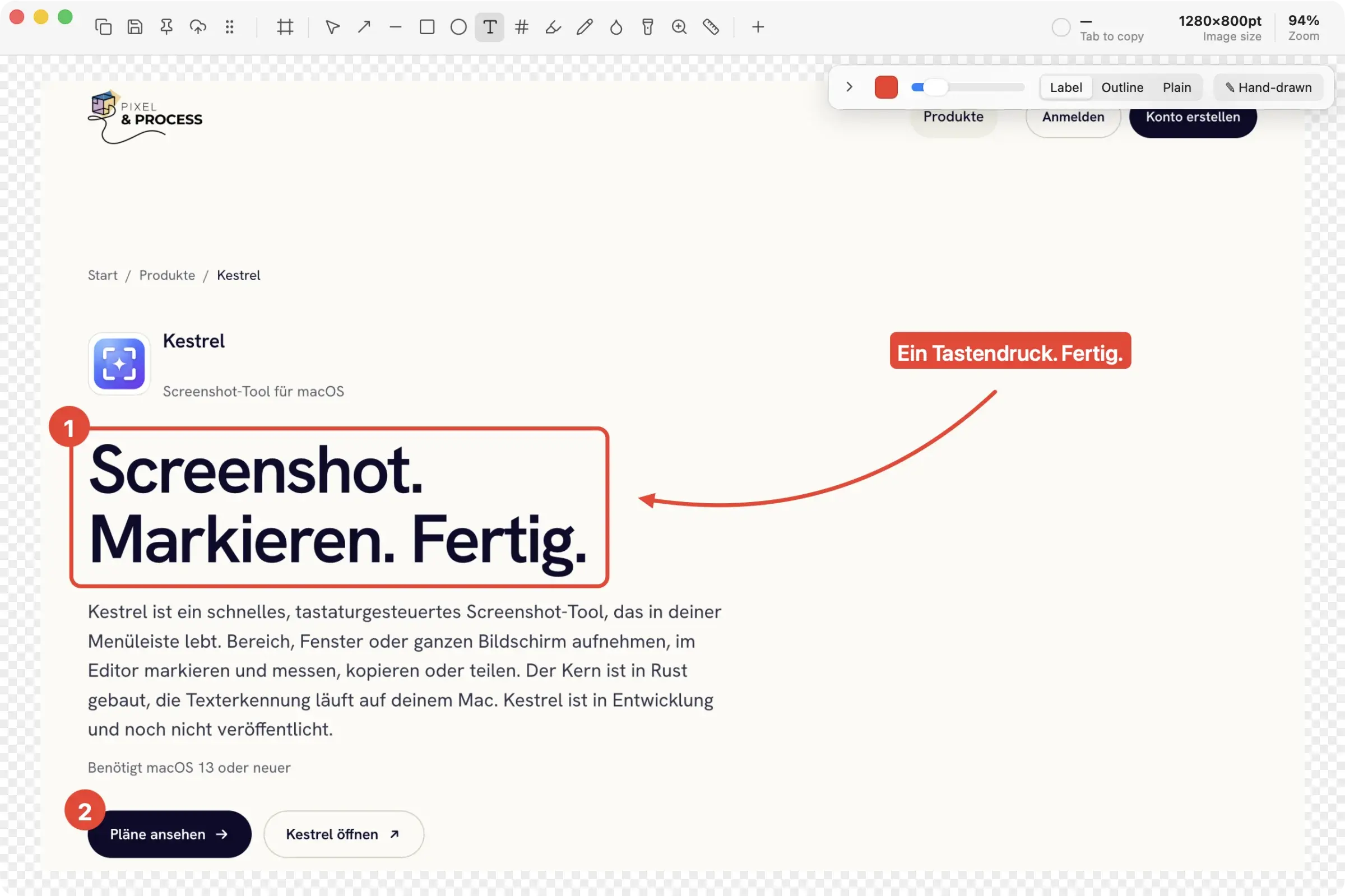
Screenshot. Annotate. Done.
Kestrel is a fast, keyboard-driven screenshot tool that lives in your menu bar. Capture an area, a window or the whole screen, annotate and measure in the editor, then copy or share. The core is built in Rust, and text recognition runs on your Mac. Kestrel is in development and not yet released.
Supporter license for €12, in development · macOS 13 oder neuer
What it's about
A screenshot is rarely the end, it is usually the start of an explanation: an arrow pointing at the bug, a box around the spot, a counter for the order of steps. Kestrel keeps the path from keypress to finished image short and stays in the background until you need it.
Capture and editor work hand in hand. You drag out an area, annotate with arrows, boxes, text, counters and blur, measure distances with rulers and guides, and copy the result or drag it straight into another app. If you like, arrows, lines and boxes look hand-drawn.
Kestrel is built with Tauri 2: a Rust core for capture, hotkeys and output, and a React editor for editing. Kestrel recognizes text and QR codes with Apple's Vision framework, right on the device. It only uploads if you set up your own S3 storage.
How it works
Capture
Press the shortcut and drag out an area, click a window or grab the screen under the cursor.
Annotate
Arrows, boxes, text, counters, blur, rulers and guides. With undo, zoom and backdrop.
Share
Copy, save, pin, drag into another app or upload to your S3 storage.
What Kestrel can do
Area, window, screen
Frozen overlay on every monitor with crosshair, magnifier and size readout. Plus active window, repeat last selection and delayed capture.
Scrolling capture
Scroll long pages automatically or manually, Kestrel stitches the parts together and detects fixed headers and footers. macOS only.
Recognize text and QR
Select an area and the recognized text or QR content lands in the clipboard. Runs on the device through Apple's Vision framework. macOS only.
Annotate
Arrows in four styles, lines, boxes, ovals, text, counters, highlighter, freehand, blur, spotlight and magnifier. Hand-drawn if you like.
Measure
Automatic rulers, guides with snapping and distances between objects via ⌥. Color values under the cursor in HEX, RGB or OKLCH and a contrast check for WCAG and APCA.
Compose
Insert, move and scale more captures or images, plus a before-and-after GIF. With a backdrop of gradient, padding, rounded corners and shadow.
Pin
A copy of the image floats on top at all times. Scrolling resizes it, ⌥ plus scroll changes the opacity.
Upload
To any S3-compatible storage such as AWS S3, Cloudflare R2 or MinIO. The link lands in the clipboard, the key in the keychain.
For scripts
The snapr:// scheme for Raycast, Alfred and scripts, enabled on request: start a capture, open settings, load an image.
Privacy and security
- Text recognition
- on your Mac, with Apple's Vision framework
- Account
- none needed
- Upload
- only to your own S3 storage, if you set one up
- Credentials
- the secret key is kept in the system keychain
- Permissions
- Screen Recording for every capture, Accessibility only for automatic scrolling
- System
- macOS 13 or newer, Windows is planned
Download Kestrel
macOS
Apple Silicon
Version 0.1.11 · 28 Oct 2026 · 5.9 MB
DownloadWhat's new
Multiple displays work properly now: each screen shows its own frozen image, so the windows you want to capture no longer disappear, clicking a window captures it, and recording on an external display works again. Screens connected after Kestrel started now show the selector too. Coding agents can do everything you can with captures and recordings through Kestrel's MCP server. With several editors open, Add Capture now goes only into the editor you asked from.
Pricing
Prices include VAT where it applies. Payment via Stripe. You pay securely through Stripe and get your key by email right away.
Supporter
€12.00
one-off
- Use it on 3 Macs
- All future updates
- Yours to keep, the licence does not expire
- Licence key by email, managed in your account
Coupon code
Who Kestrel is for
Show bugs, number steps, pixelate sensitive spots and pass the image on in seconds.
Measure spacing, pick colors, check contrast and annotate interfaces cleanly.
One shortcut, a few marks, copy. Without opening a big app.
Frequently asked questions
What is Kestrel?
A menu bar screenshot tool with an editor. It captures areas, windows and screens, you annotate and measure in the image, and then copy, save or share the result.
Can I download Kestrel yet?
Not yet. Kestrel is in development and has no public version. Write to us if you would like to be told when it launches.
What does Kestrel cost?
The Supporter license costs €12, including VAT where it applies. It covers 3 Macs, includes all future updates and does not expire. You buy it securely through Stripe at license.pixelandprocess.de and get the key by email right away.
Which systems does Kestrel support?
macOS 13 or newer is the first step. Windows is planned, and some features such as scrolling capture and text recognition are only available on the Mac for now.
Does Kestrel send my screenshots anywhere?
No. Images stay on your device. An image only goes elsewhere if you set up your own S3-compatible storage and actively upload.
Which permissions does Kestrel need?
Screen Recording, so Kestrel can capture at all. Accessibility is only needed for automatic scrolling, manual scrolling works without it.
Can I control Kestrel with Raycast or Alfred?
Yes. Kestrel supports the snapr:// scheme, for example snapr://capture/area. It is off by default and can be enabled in settings.
More products from the studio
 PixelreelRecord the screen, an area, or a window to MP4, with microphone, system audio, and a webcam bubble. With an editor, right from the menu bar.
 ReelportReelport edits, captions and renders your talking-head videos inside DaVinci Resolve Studio and schedules them to Instagram, TikTok, YouTube and Facebook.
 TypeshelfCollect, activate, compare and share fonts. A fast font manager for the Mac, with Google Fonts, Fontshare and Font Squirrel built in.
 FormspringEvery customer touchpoint in one workspace: forms, surveys, funnels, bookings and links, with a shared inbox.
 DrohnenAtlasCan I fly here? Flight zones from official DFS data, weather, NOTAMs and a flight log in one app.
 SorrelWebsite intelligence in one Trust Score: compliance, security, vendor risk, accessibility and uptime.
 ScampilotSpot scam emails in seconds. An AI checks suspicious messages, emails and links and gives its verdict in plain language.
 BurrowA public HTTPS address for your local server, with one command. Hosted in the EU, the alternative to ngrok.
 SnareA free webhook inspector and request bin from the EU, plus over 20 small developer tools that log nothing.
 FlowwyHold fn, speak, let go. The text appears where your cursor is. Everything runs on your Mac.
Questions about Kestrel?
Plans, privacy, integration or feedback: write to us, and we'll reply personally.