

Font manager for macOS
Your fonts. One shelf.
Typeshelf is a font manager for macOS. Keep your fonts in one library, activate them only when you need them, and find them again with search, collections and filters. Add web fonts in one click. Try Typeshelf free for seven days.
€14.99 one-time, 7-day free trial · macOS 13+, Apple Silicon
What it's about
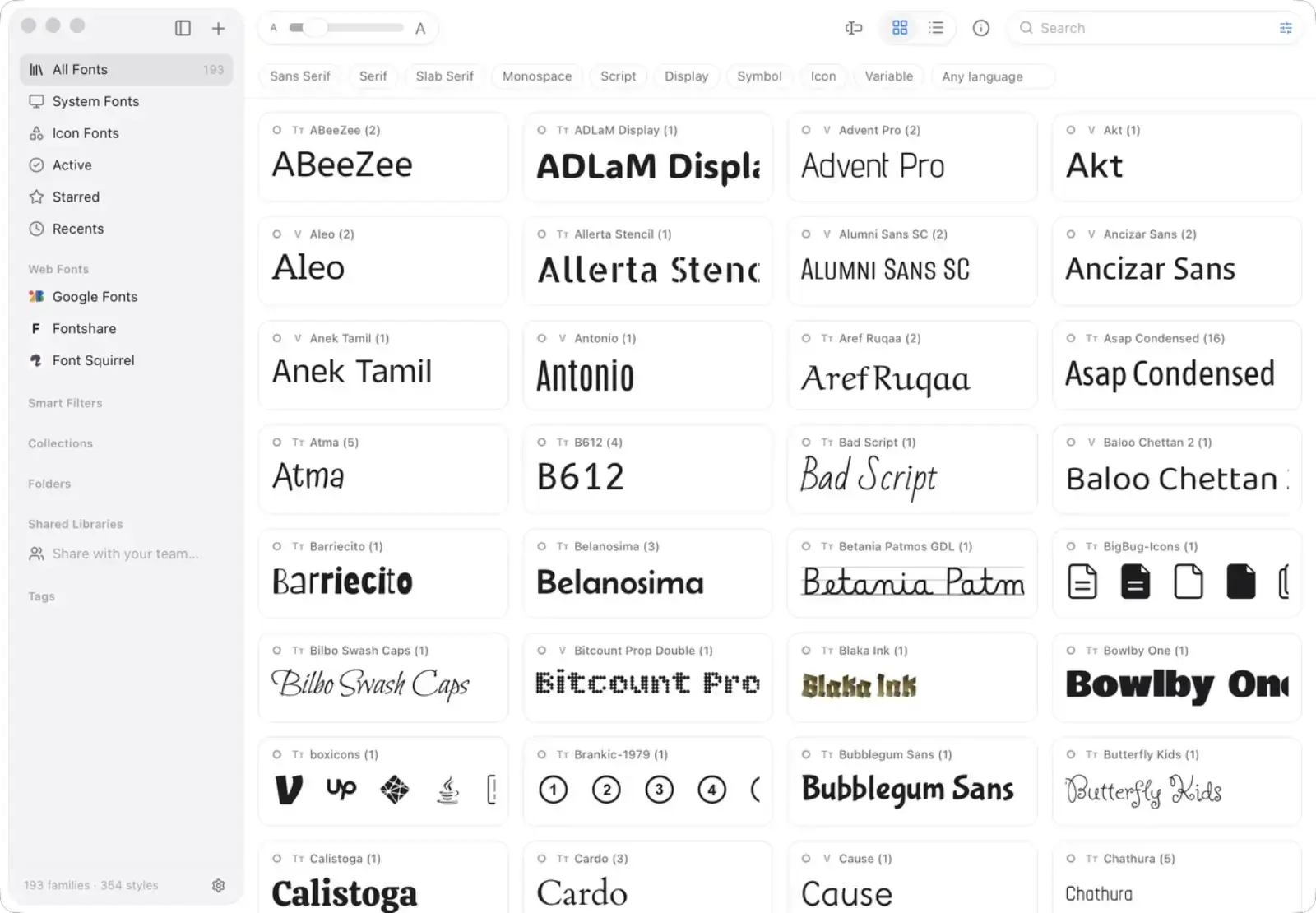
Most Macs have too many fonts active and still not the right one at hand. Typeshelf separates the two: the library holds everything, and only what you need right now is active. When an app asks for a font from your library that isn't active, Typeshelf can activate it automatically.
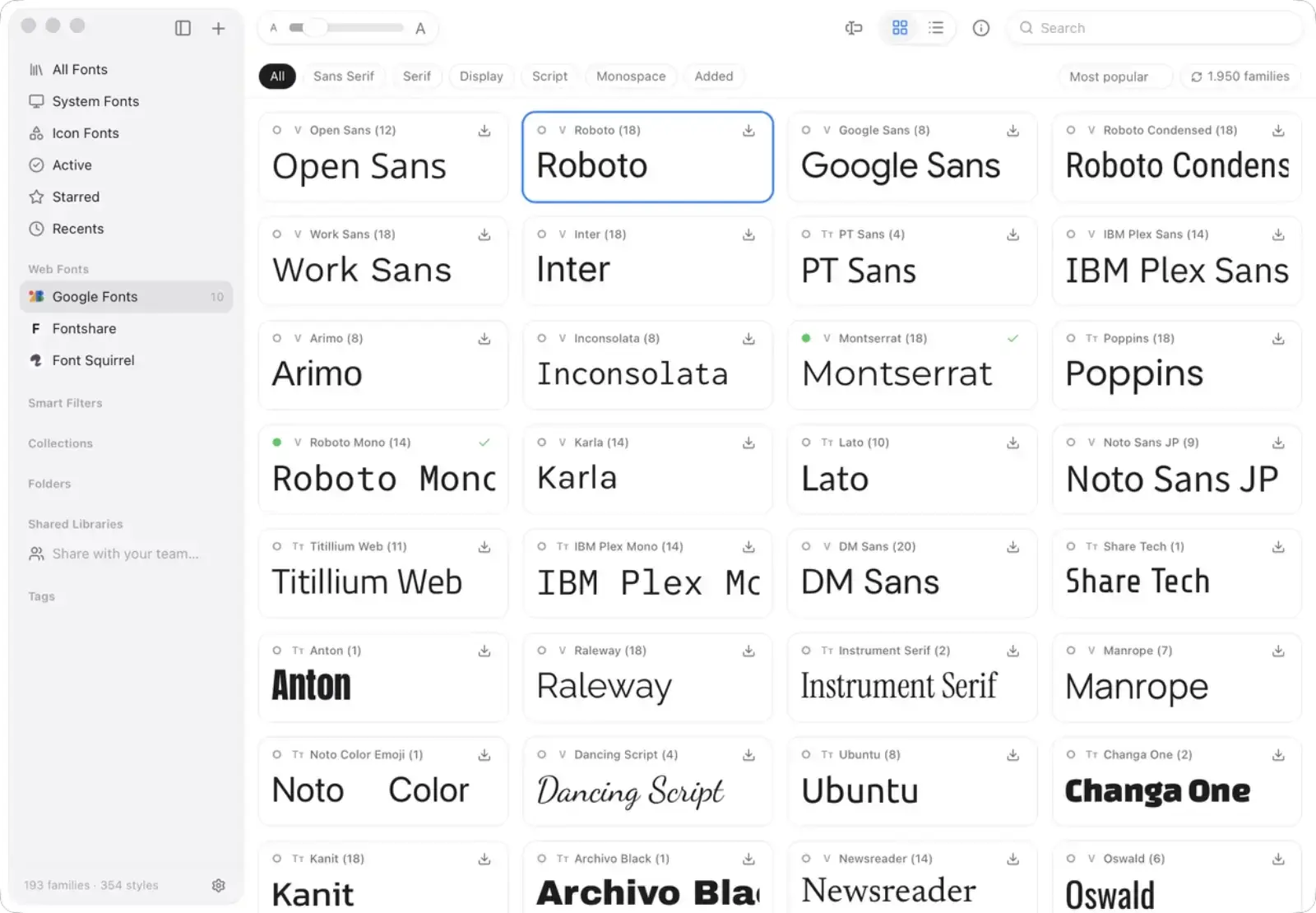
Preview, grid and list views, glyphs, OpenType features, licenses and metadata sit side by side in the inspector. You browse Google Fonts, Fontshare and Font Squirrel in the same window as your own fonts and add a family in one click.
Typeshelf is built with Tauri 2: a Rust core for reading, activating and organising fonts, and a React interface for everything you see. Your library stays on your Mac. No account needed.
How it works
Collect
Drop in files, folders or whole RightFont libraries. Typeshelf reads families, styles and metadata.
Find
Search, collections, tags and smart filters by classification, language or license.
Activate
One click turns a font on for every app. Typeshelf can activate missing fonts automatically.
What Typeshelf can do
Library
OTF, TTF, TTC and dfont, one by one or as folders. Collections, tags, favourites and smart filters. Library health shows duplicates and conflicts with system fonts.
Activation
Turn fonts and whole collections on and off. Auto-activation when an app asks for a missing font, and optional deactivation on quit.
Preview and inspector
Grid and list with your own text and a size slider. The inspector shows glyphs, OpenType features, metadata, license and pairings.
Web fonts
Browse, preview and add Google Fonts, Fontshare and Font Squirrel in one click. Embed code for Google, Bunny Fonts (EU) and Fontshare.
Icon fonts
Typeshelf detects icon fonts on its own and shows them in their own view with their symbols.
Apply in apps
Set the selected font directly in Photoshop, Illustrator, InDesign or Word.
Team libraries
A library in a shared folder on iCloud Drive, Dropbox or a NAS. Changes reach everyone on the team.
Export
Printable specimens as PDF and web font kits with WOFF2, CSS and a specimen page. Typeshelf warns when the license doesn't allow web use.
Coming from RightFont
The welcome guide imports an existing RightFont library with its collections.
Privacy and security
- Library
- on your Mac, not in a cloud of ours
- Account
- none needed
- Network
- only for web font catalogues and updates
- Permissions
- Automation only when you apply a font in another app
- System
- macOS 13 or later, Apple Silicon
Download Typeshelf
macOS
Apple Silicon
Version 1.0.1 · 21 Oct 2026 · 6.3 MB
DownloadWhat's new
Fixes the licence key field in Settings → License.
Pricing
Prices include VAT where it applies. Payment via Stripe. You can try Typeshelf free for 7 days first. You pay securely via Stripe and get your licence key by email right away.
Typeshelf
€14.99
one-off
- Use it on 1 Mac
- 12 months of updates
- Yours to keep, the licence does not expire
- Licence key by email, managed in your account
Coupon code
Who Typeshelf is for
Hundreds of fonts in the archive, but only the current project's fonts active.
One shared font collection for the team, without sending files around.
Pick and compare web fonts and hand them to development as a kit with CSS.
Frequently asked questions
What is Typeshelf?
A font manager for macOS. You keep your fonts in one library, activate them when needed, find them with search and filters, and add web fonts from Google Fonts, Fontshare and Font Squirrel.
Can I try Typeshelf first?
Yes. Download Typeshelf and use it for seven days without a licence or an account. After that you need a licence to keep going. Fonts you activated stay active.
How much does Typeshelf cost?
The license costs €14.99 once, including VAT. It covers one Mac and includes one year of updates; Typeshelf keeps working afterwards. You can try Typeshelf for seven days without a license.
Can I switch from RightFont?
Yes. The welcome guide reads an existing RightFont library and brings over fonts and collections.
Which systems does Typeshelf run on?
macOS 13 or later on Apple Silicon Macs. Intel Macs, Windows and Linux are still open.
How do updates work?
Typeshelf checks for new versions itself and installs them when you agree. Every version is signed and notarized by Apple. The licence includes all updates for one year.
More products from the studio
 PixelreelRecord the screen, an area, or a window to MP4, with microphone, system audio, and a webcam bubble. With an editor, right from the menu bar.
 ReelportReelport edits, captions and renders your talking-head videos inside DaVinci Resolve Studio and schedules them to Instagram, TikTok, YouTube and Facebook.
 FormspringEvery customer touchpoint in one workspace: forms, surveys, funnels, bookings and links, with a shared inbox.
 DrohnenAtlasCan I fly here? Flight zones from official DFS data, weather, NOTAMs and a flight log in one app.
 SorrelWebsite intelligence in one Trust Score: compliance, security, vendor risk, accessibility and uptime.
 ScampilotSpot scam emails in seconds. An AI checks suspicious messages, emails and links and gives its verdict in plain language.
 BurrowA public HTTPS address for your local server, with one command. Hosted in the EU, the alternative to ngrok.
 SnareA free webhook inspector and request bin from the EU, plus over 20 small developer tools that log nothing.
 FlowwyHold fn, speak, let go. The text appears where your cursor is. Everything runs on your Mac.
 KestrelCapture, annotate, measure, copy. A fast menu bar screenshot tool with an editor and on-device text recognition.
Questions about Typeshelf?
Plans, privacy, integration or feedback: write to us, and we'll reply personally.